From Blurry Graphics to Vendor Headaches: Why Your Logo Files Matter
At some point, almost every small business owner hears the same request: “Can you send me your logo?”
That sounds simple enough.
Until the printer asks for an EPS file.
The sign company wants vector artwork.
The apparel vendor says the JPG you sent will not work.
Or someone enlarges your logo for a banner and suddenly the crisp image you are used to seeing looks fuzzy, stretched, or pixelated.
The problem is not necessarily your logo.
The problem may be that you do not have the right version or file format for the job.
And that matters because the right file type helps your brand show up the way it was intended – clean, professional, and consistent.
Your logo may need to appear on a website, social media profile, business card, brochure, Word document, PowerPoint presentation, sign, vehicle graphic, embroidered shirt, promotional product, trade show display, or dozens of other places.
One file cannot always do all of those jobs well.
That is why a complete logo suite matters.
Raster vs. Vector: The Difference You Need to Know
You do not need to become a graphic designer to understand logo files.
But there is one distinction every business owner should know: raster versus vector.
Raster Files
Raster images are made up of tiny squares called pixels.
The more you enlarge the image, the larger those pixels become. Eventually, the edges begin to look rough or blurry.
Raster files are useful and necessary. They work well for websites, social media, email, Office documents, presentations, and many everyday digital applications.
The problem comes when a raster file is asked to do something it was never designed to do.
A JPG that looks great at three inches wide on your screen may look terrible when it is enlarged to three feet wide on a sign.
- JPG or JPEG
- PNG
- TIFF
- GIF
Vector Files
Vector artwork is built differently.
Instead of pixels, it uses mathematical points, lines, and shapes. That means it can be enlarged dramatically without losing quality.
Vector files are especially important for logos because your logo may need to go from very small to very large without becoming distorted.
That is why printers, sign companies, screen printers, vehicle graphics companies, and other production vendors often ask for vector artwork.
They are not being difficult. They are trying to make sure your logo reproduces correctly.
- AI
- EPS
- SVG
- Some PDF files
What Are All Those File Types Actually For?
A folder full of logo files is not very helpful if no one knows which one to use. Here is a practical overview.
JPG or JPEG
- Websites
- Social media graphics
- Word documents
- PowerPoint presentations
- Digital documents
- Everyday office use
JPG files are easy to open and share, which makes them convenient for day-to-day business use.
But they have limitations. They do not support transparent backgrounds, and they can lose quality when enlarged.
A JPG is useful. It just should not be the only logo file you have.
PNG
- Websites
- Social media
- Email signatures
- Presentations
- Digital documents
- Graphics where the logo needs to sit over another color or image
A PNG is also a raster format, but it has one major advantage: it can have a transparent background.
That means your logo can sit cleanly on top of a colored background, photograph, presentation, or graphic without appearing inside a distracting white box.
A transparent PNG is one of the most useful everyday logo files a small business can have.
But remember – it is still raster artwork, so it cannot be enlarged indefinitely without losing quality.
SVG
- Websites
- Online graphics
- Icons
- Digital applications where a logo needs to scale cleanly
SVG is a vector format designed especially well for digital use.
Because it is vector-based, it stays sharp at different sizes.
EPS
- Commercial printing
- Signs
- Banners
- Vehicle graphics
- Screen printing
- Apparel
- Promotional products
EPS is a common professional production format.
You may not be able to open an EPS file on your own computer. That does not mean you should delete it.
Keep it. It may be exactly the file a vendor needs someday.
AI
- Master logo artwork
- Professional design work
- Editing or modifying the logo
- Creating future versions
- Production projects
An AI file is an Adobe Illustrator source file.
This is typically one of the master files used by a designer. It preserves editable vector artwork and is especially helpful if the logo needs to be modified, resized, recolored, or prepared for another application.
Most small business owners will rarely open an AI file themselves. You still want to have it.
- Sharing artwork with vendors
- Commercial printing
- Proofs
- Brand standards
- General file sharing
PDF can be a very useful logo format because it is easy to share and can preserve vector artwork.
But there is an important catch: a PDF is not automatically a vector file.
A low-resolution JPG can be placed inside a PDF without becoming vector artwork. The same is true of an EPS file.
Changing the file extension does not magically change the artwork inside it. That distinction matters when a production vendor asks for true vector artwork.
TIFF
- High-resolution photography
- Professional print production
- Archival images
TIFF files are high-quality raster files often used in professional print production and photography.
They can be useful, but they tend to be large and are usually not necessary for everyday logo use.
The Right Logo Version Matters Too
File format is only part of the equation.
A useful logo suite should also give you different versions of the logo for different situations.
Depending on the design, that may include:
- Primary logo
- Horizontal logo
- Stacked or vertical logo
- Icon or brand mark
- Full-color version
- Black version
- White or reverse version
- One-color version
Because the logo that looks great across the top of your website may not fit well into a square social media profile.
A full-color logo may disappear on a busy photograph. A dark logo may become unreadable on a dark background. A detailed logo may not reproduce well when embroidered at a small size.
Having the right versions gives you options without changing or recreating your brand every time.
File Type Is Only Part of the Picture
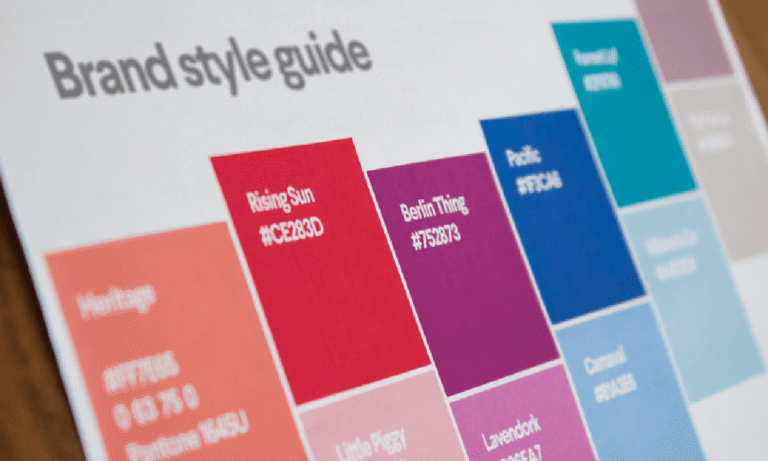
A complete visual identity also includes the colors and fonts that belong to the brand.
Those pieces matter because consistency is not only about using the right logo. It is also about using the right colors, typography, and visual standards so the brand looks familiar wherever people encounter it.
Color specifications can vary between digital and print applications, and fonts should be defined clearly enough that employees, vendors, and anyone creating marketing materials know what to use.
We will dig into those pieces separately.
For now, the important thing to understand is this:
Using the right logo file is not just a technical issue. It helps make sure your brand is always putting its best foot forward.
The Vendor Headache Usually Starts With Missing Files
Imagine this:
You need a sign.
The sign company asks for your vector logo.
You send the JPG you normally use.
They tell you it will not work.
You search through old emails.
You contact the person who originally created the logo.
You cannot find the original designer.
Now the vendor either has to recreate the artwork, you have to track down another file, or the project stalls.
None of that has anything to do with the quality of the logo itself.
It is an asset-management problem.
A complete, organized logo suite prevents that problem.
Your employees, vendors, printer, web designer, sign company, promotional product supplier, or anyone else working with your brand should not have to guess which logo to use.
They should be able to find the correct file quickly and know exactly what it is for.
Your Logo Should Be Ready to Work
A professional visual identity is not just about having a logo you like.
It is about having a logo that can be used correctly everywhere your business needs to appear.
Whether it is showing up on a business card, website, sign, shirt, presentation, or vehicle, the right file type helps protect the quality and consistency of the brand people see.
That means having:
- The right logo versions
- Raster files for everyday digital use
- Vector files for professional production
- Basic usage guidance
- Organized files that are easy to find
When those pieces are in place, you spend less time hunting for files, fixing blurry graphics, answering vendor questions, or settling for artwork that does not look quite right.
Your logo becomes easier to use.
And your brand is more likely to show up the way you intended.
Need Help Getting Your Logo Files in Order?
If you already have a logo but do not have the right versions, formats, or usage standards, I can help.
My Logo Suite + Brand Standards service takes your existing logo and turns it into an organized, practical system with the files and guidance you need to use your brand consistently.
Send me an email (laura@marketingblueprintsforsmallbiz.com) and let’s talk about what you need.